Create a B2C store
Set up a company store that sells to consumers.
Before you begin
- A company account, the relevant company selected and Marketplace editing permission.
- A trading name and contact details the company can publish.
- Who it is for
- companie
- Where to find it
- Creare magazin
Step by step
Open Retail B2C
Choose the right company in the company selector. Open «Retail B2C», then «Creeaza magazin». If the company runs more than one store, decide which catalogue belongs to this store.
Choose the store identity
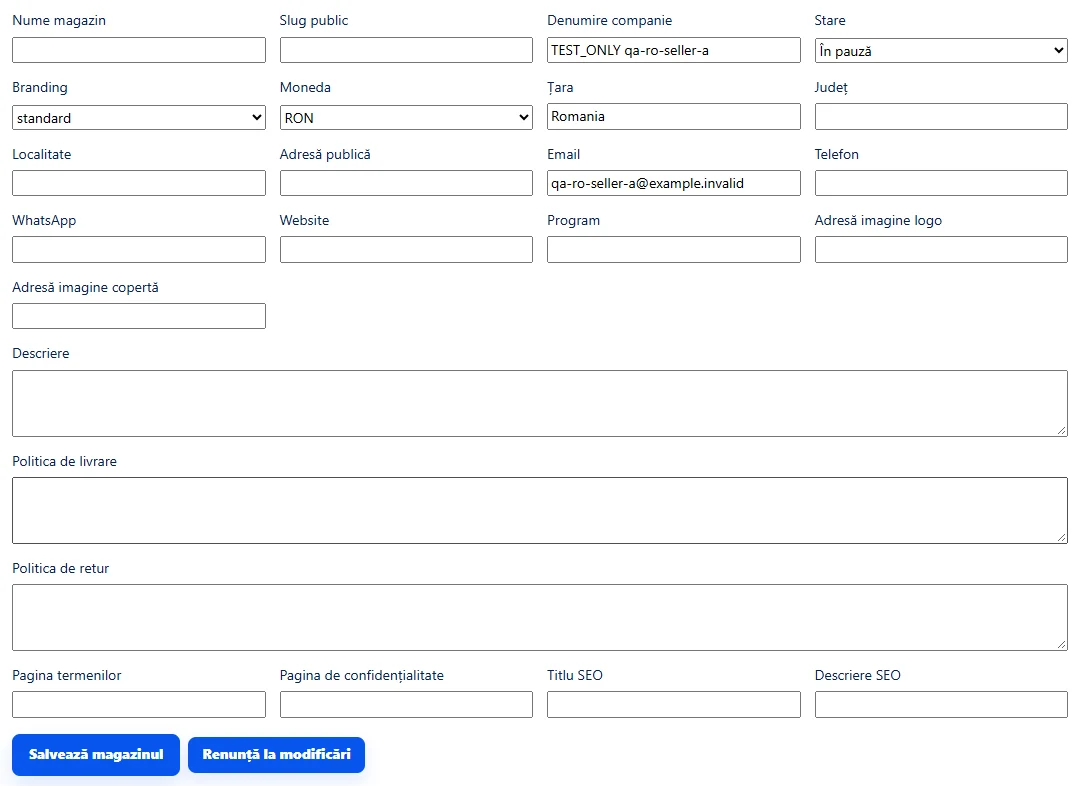
Enter the customer-facing name in «Nume magazin». Use a short, distinctive address in «Slug public». Choose one of the available «Branding» options.
Complete the public profile
Add the website, email, telephone, WhatsApp and opening hours where applicable. In «Descriere magazin», explain what the store sells and where it operates. Use contact details intended for customers.
Describe delivery and returns
In «Politica livrare», explain service areas, delivery times and collection. In «Politica retur», describe the process for your offers. Configure the rates and methods used at checkout separately.
Prepare the search listing
Write a specific, verifiable title and description in «SEO title» and «SEO description».
Save and check visibility
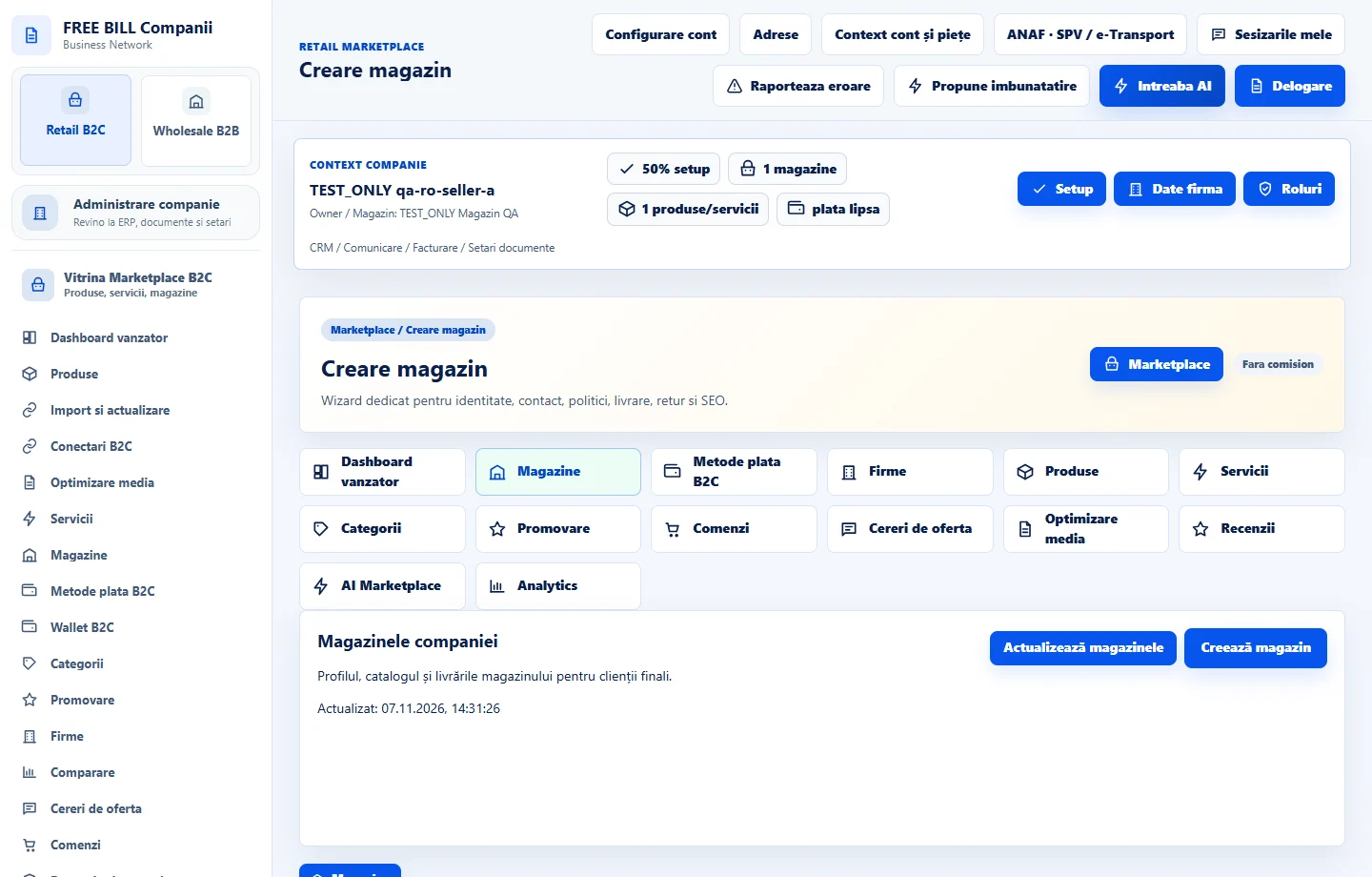
Select «Creeaza magazin». Open «Magazinele companiei» to check the profile, public status and catalogue. Set up shipping and payments before testing the purchase flow.
Application interface · Romanian · 1
Check the result
The store appears in the company list with its own profile and public address.
If something is missing
If the store is missing, check the active company and whether the address is already in use. If the profile is saved but absent from the storefront, check «Status public» and market availability.
Availability depends on your role, enabled modules, country and company configuration.
Open in FreeBill Conect