Connect a catalogue or B2C provider
Configure the company's connection and control the data applied to its catalogue.
Before you begin
- Configuration permission for the active company.
- An authorized provider account and connection details in the company's protected storage.
- Who it is for
- companie
- Where to find it
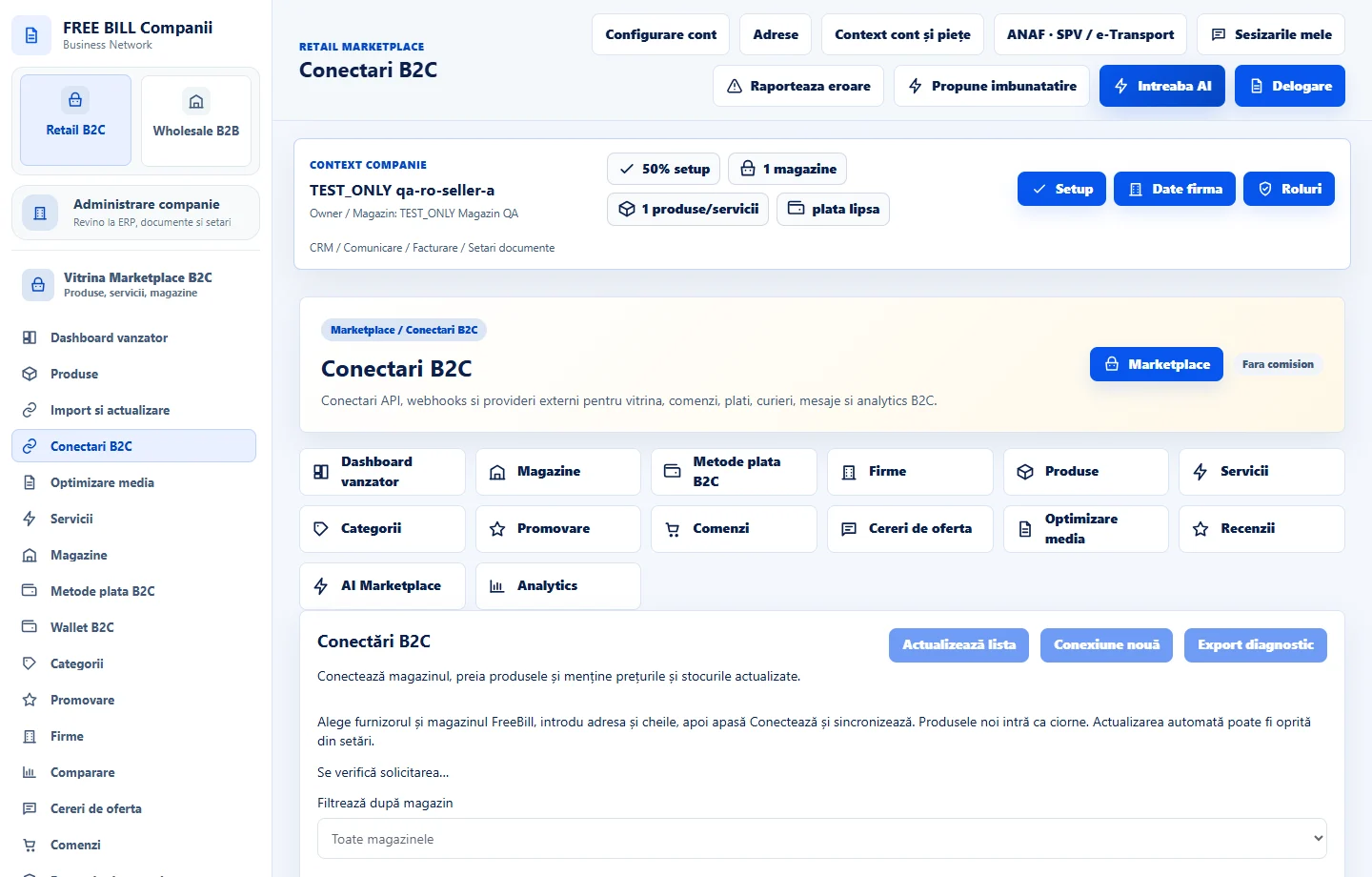
- Conectari B2C
Step by step
Open «Conectări B2C»
Select the store and a provider from the available options. Check what it supports, such as catalogue retrieval or stock synchronization.
Set up the company connection
Enter the address, references and environment as instructed by the provider. Enter secrets only in its dedicated form. Save and check the status confirmed by the server.
Review the retrieved data
For a catalogue source, retrieve the data and check the count and result message. Open the batch in «Import si actualizare» and review differences before applying.
Check synchronization
Review history and affected SKUs, prices and quantities. For diagnostics or webhooks, check the results in the company's test environment.
Resolve connection errors
Review the status and error message. Check provider access and environment before trying again.
Check the result
You can follow the company connection and see which reviewed data was applied.
If something is missing
If retrieval succeeded without a catalogue change, review the import batch. If the provider does not confirm the connection, check environment, access and reference.
Availability depends on your role, enabled modules, country and company configuration.
Open in FreeBill Conect