Resolve a B2B return or service remedy
Handle a return request, quantities, goods receipt and related refund.
Before you begin
- A confirmed eligible order and supporting documentation. Refunds require the related receipt and an available refund method.
- Who it is for
- company
- Where to find it
- Retururi furnizori
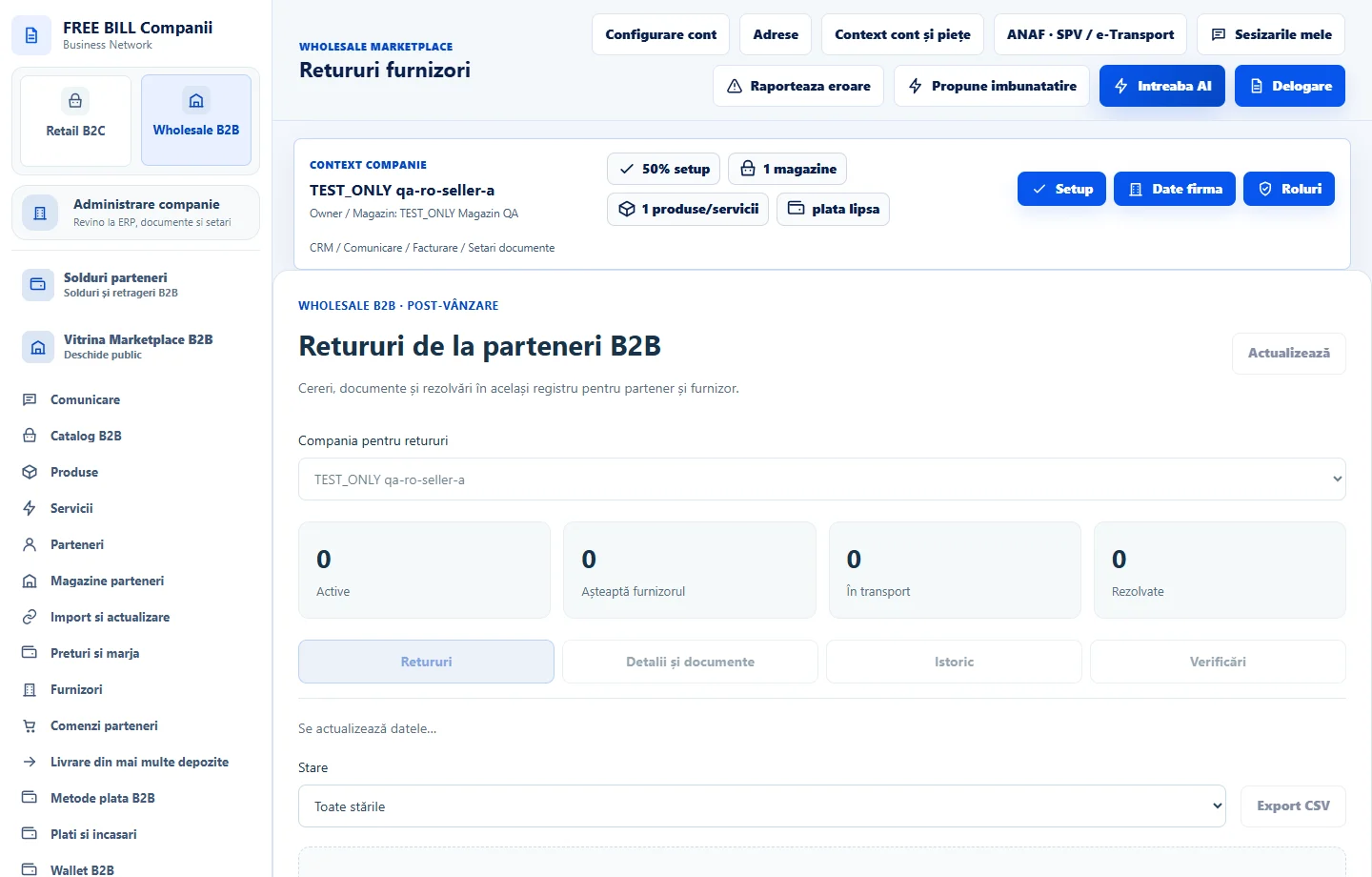
Step by step
Identify the case
In «Retururi furnizori», check the active company and open «Detalii și documente». Match the order, items, quantities and status. Handle products and services separately.
Record the supplier's decision
Check the reason and supporting evidence. Choose «Soluția furnizorului» and enter the note and document reference. For services, document the remedy or accepted resolution.
Track the parcel after approval
For products, check or enter the carrier and return waybill where available. Confirm goods receipt after arrival and return only saleable units to stock.
Process any refund separately
If required, choose a refund to the original payment method or a bank or cash refund. Confirm the date and manual payment document only after making the actual refund.
Verify completion
Check «Istoric» and «Verificări». Match goods receipt, refund and the document in «Plăți și încasări» against the case, then check that it closes.
Check the result
The return retains its items, documents, and verifiable goods-receipt and refund statuses.
If something is missing
If «Necesită verificare» appears, refresh the status or retry the same request shown. Compare the initial payment before selecting a different method.
Availability depends on your role, enabled modules, country and company configuration.
Open in FreeBill Conect