Navigate Wholesale B2B
Identify the active company and open the workspace for wholesale sales or reseller collaboration.
Before you begin
- A company account with access to Wholesale B2B.
- Who it is for
- company
- Where to find it
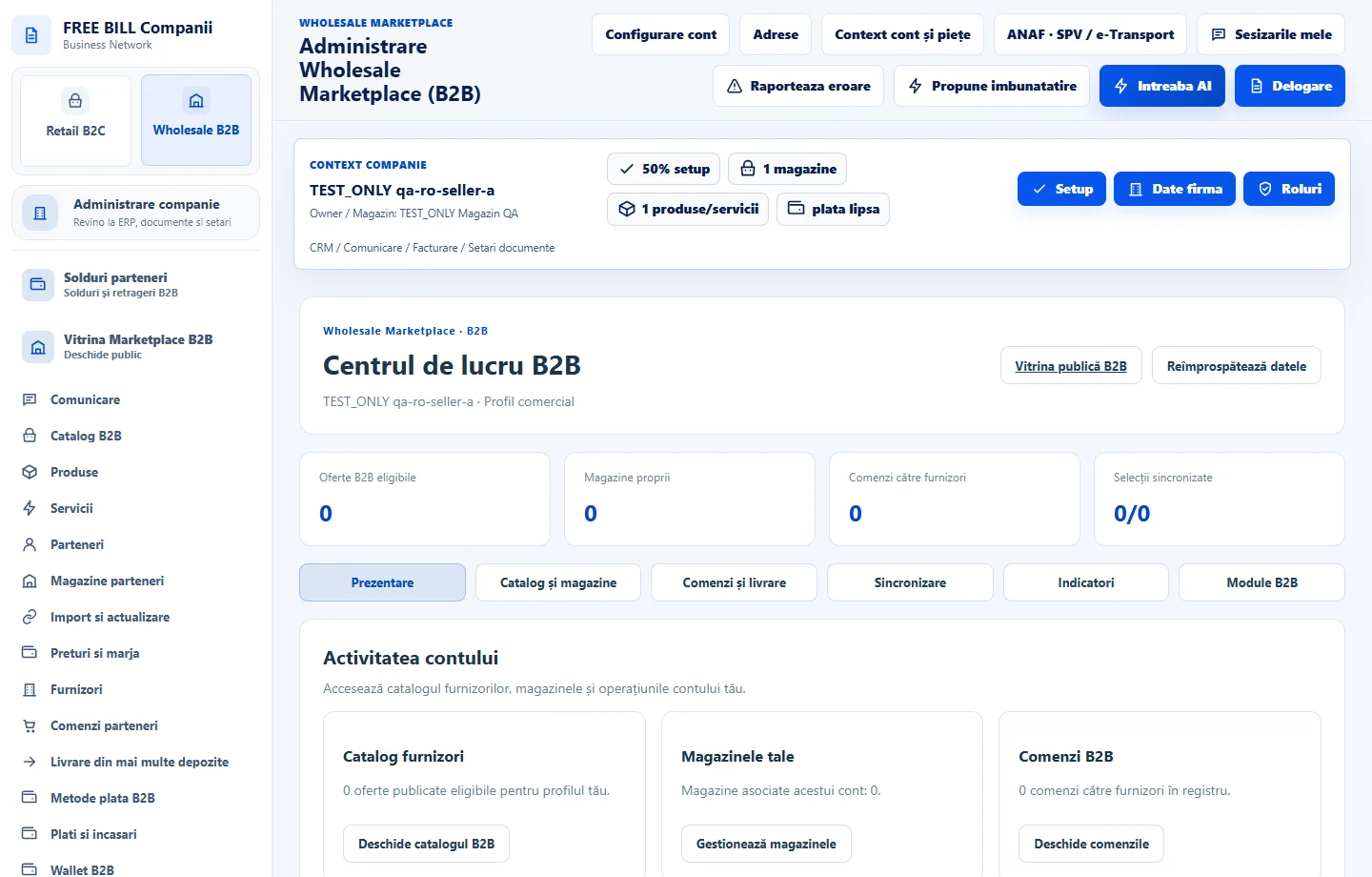
- Administrare Wholesale Marketplace (B2B)
Step by step
Open the workspace
In your company account choose «Wholesale B2B», then «Centrul de lucru B2B». Confirm the active company before configuring a catalog or responding to a partner.
Load your company's activity
Choose «Reîmprospătează datele» and check the eligible offers, your stores, orders and synchronized selections separately.
Choose the right workflow
To sell, start with «Produse» or «Servicii», then «Parteneri». For an incoming order, open «Comenzi parteneri» and follow the delivery and receipt for the same suborder.
Check the storefront separately
Use «Vitrina publică B2B» to see the visitor view. Return to the portal for editing, approvals and records.
Check the result
You can find each part of the workflow and identify the selected company.
If something is missing
If the workspace is unavailable, ask your administrator to verify your Wholesale permissions for that company.
Availability depends on your role, enabled modules, country and company configuration.
Open in FreeBill Conect