Prepare and approve an AI product draft
Use AI Product Studio to create reviewable commercial drafts.
Before you begin
- An identified source you own and accurate commercial information. External generation requires your own AI connection.
- Who it is for
- company
- Where to find it
- AI Product Studio
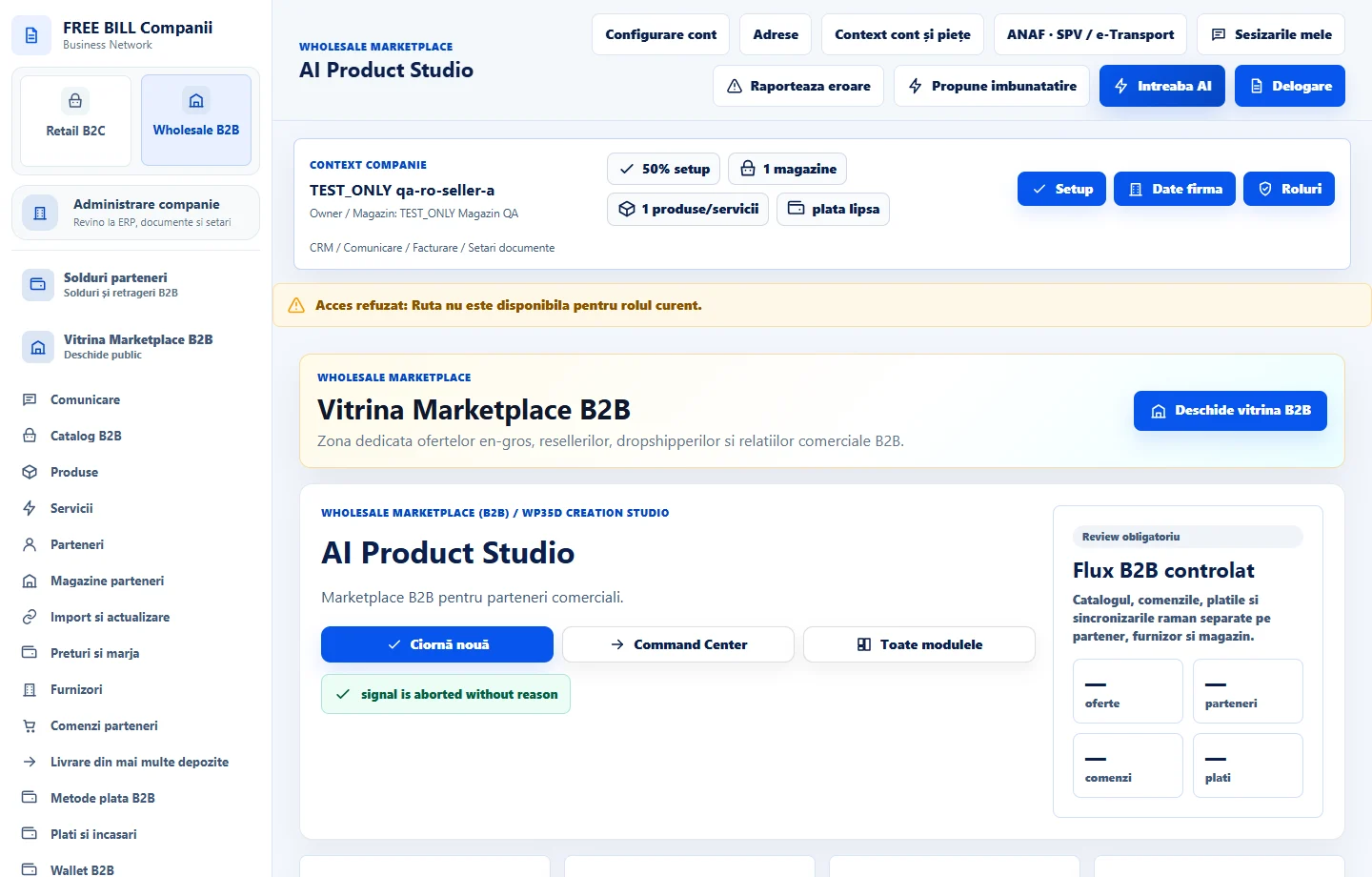
Step by step
Choose a source and open a draft
In «AI Product Studio», select the company, choose «Ciornă nouă» and select the source product or service.
Prepare the draft
Review the context. To generate through a provider, choose an authorized connection and confirm after reviewing the data shown.
Review the details
Compare the text, claims, terms and language against the actual offer. Adjust the draft, save the changes and choose «Confirmă revizuirea» once it is accurate.
Use the reviewed result
Choose «Exportă ciorna» to reuse it or open the B2B editor to update the offer. Check publication separately.
Check the result
You have a reviewed or exported draft with a traceable source and version.
If something is missing
If the source changes, choose «Actualizează contextul» and review the draft again before use.
Availability depends on your role, enabled modules, country and company configuration.
Open in FreeBill Conect