Prevalidate and export a SAF-T / D406 file
Prepare an XML export from confirmed ERP and accounting data.
Before you begin
- Fiscal-module permission, the correct reporting period, confirmed source data and configured validation packages.
- Who it is for
- company user with module permission
- Where to find it
- SAF-T / D406
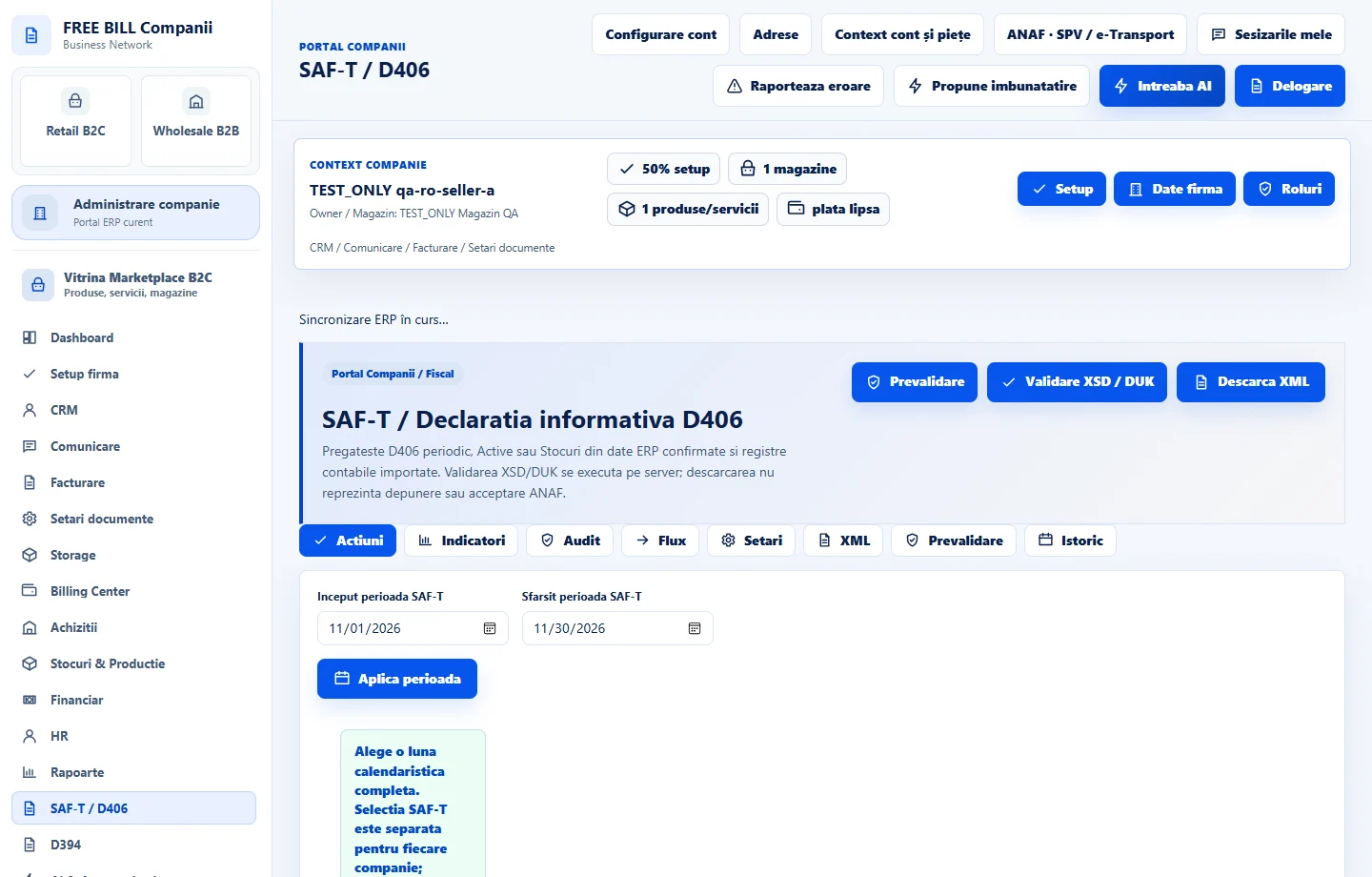
Step by step
Open SAF-T / D406
Select the relevant company or account, then open «SAF-T / D406».
Choose period and reporting type
Review the D406 period/type controls and company fiscal information. Check the imported accounting data required by the selected report.
Prevalidate the data
Select «Prevalidare» and resolve the listed critical issues in the relevant company, sales, purchase, finance or inventory records.
Run server validation
Select «Validare XSD / DUK» and inspect the validation result.
Download the prepared XML
Select «Descarca XML» after reviewing the result. Downloading is not submission or acceptance by ANAF.
Check the result
A prepared D406 XML file and the available validation results.
If something is missing
If validation is unavailable, check the server validation package and source-data requirements. Resolve critical validation findings before export; a downloaded file is not proof of ANAF submission or acceptance.
Availability depends on your role, enabled modules, country and company configuration.
Open in FreeBill Conect