Save legal, contact and banking details
Maintain the company identity used by operational documents.
Before you begin
- An active company and permission to edit company details.
- Who it is for
- company user with module permission
- Where to find it
- Date firma
Step by step
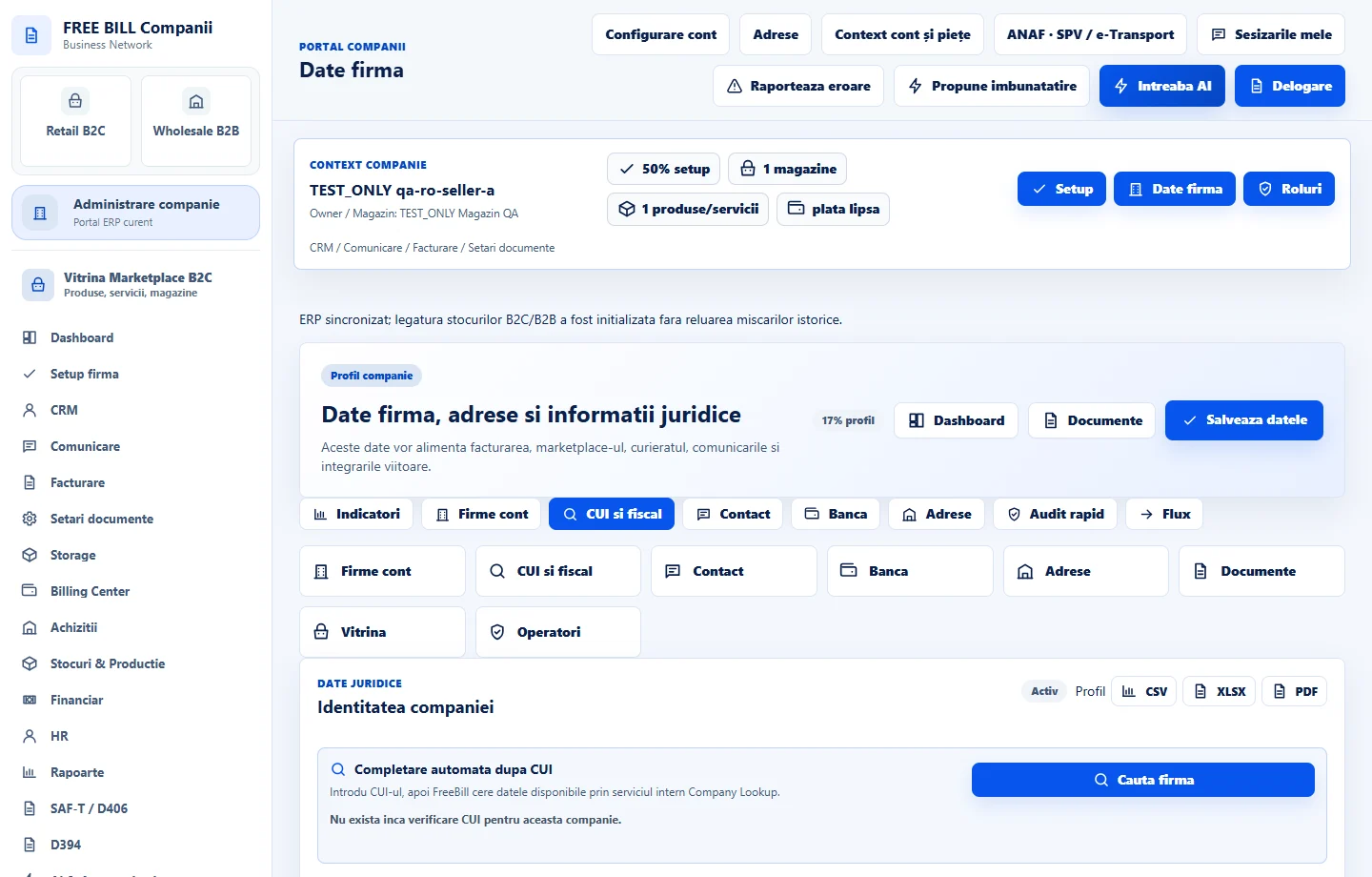
Open Date firma
Select the relevant company or account, then open «Date firma».
Look up the company
Enter the company CUI and use «Cauta firma» where the lookup is available; review the returned values.
Complete the profile
Review legal and tax details, contacts, banking information and the registered, invoicing and delivery addresses.
Save the changes
Select «Salveaza datele».
Check document settings
Use «Documente» to review how company details appear in documents.
Check the result
The active company profile contains the saved business details.
If something is missing
If editing is disabled, check the active company and your permission for this module. Resolve the validation message shown in the form before submitting again.
Availability depends on your role, enabled modules, country and company configuration.
Open in FreeBill Conect