Record internal transfers and invoice offsets
Record a transfer between two accounts or offset part or all of the balance between a customer invoice and a supplier invoice.
Before you begin
- For a transfer, two different active accounts in the same currency and a supporting reference.
- For an offset, a customer invoice and a supplier invoice for the same tax identifier in the same currency, plus the agreement reference.
- Who it is for
- Operator with write permissions in finance and access to the linked documents.
- Where to find it
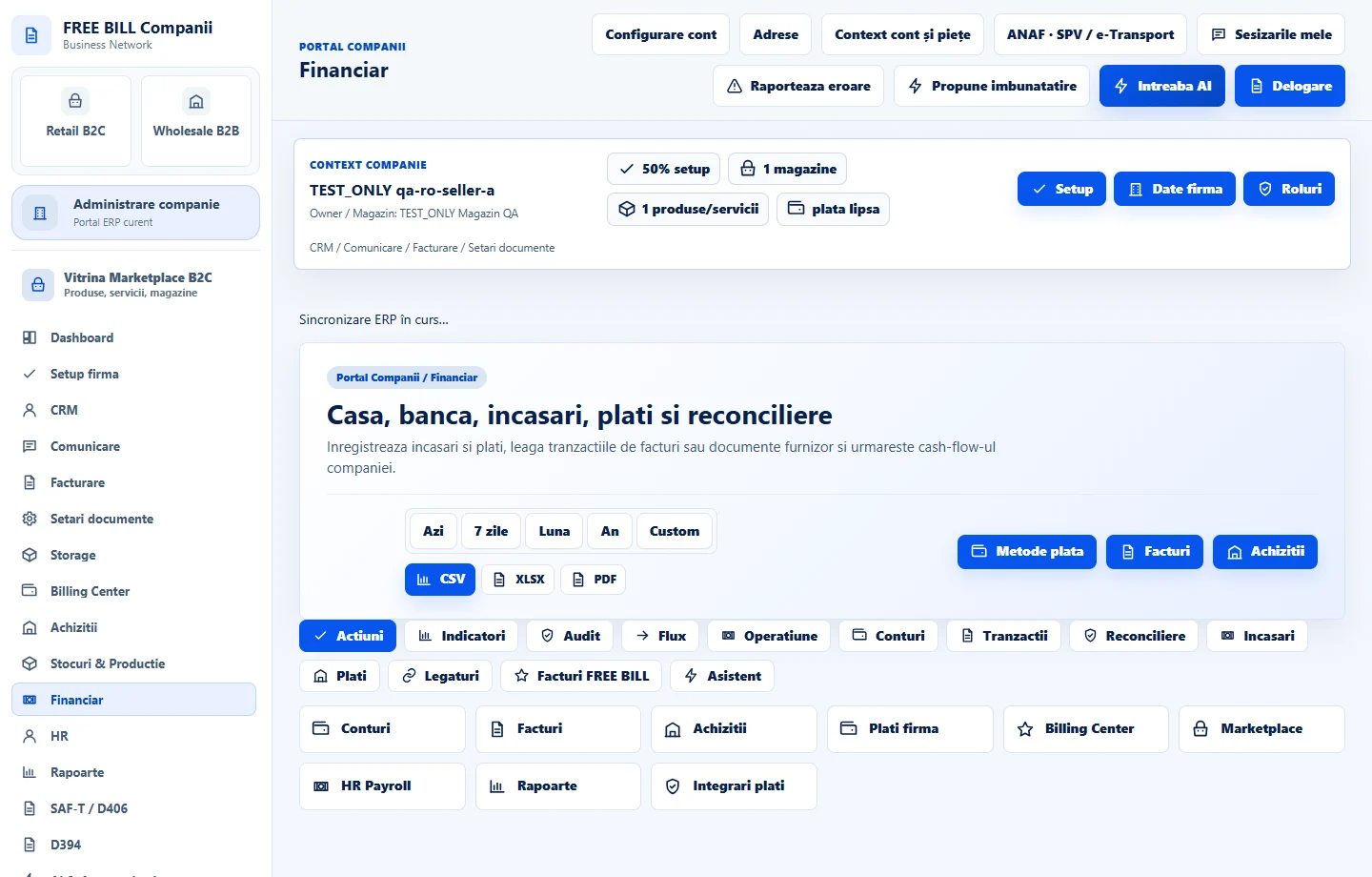
- Financiar
Step by step
Choose the operation in «Financiar»
Open «Încasare sau plată nouă». To move funds between the company's accounts, select «Transfer între conturi (înregistrare)». To record an offset, select a receipt or payment and the «Compensare» method.
Enter the transfer details
Select the source under «Cont» and the destination under «Cont destinație transfer». Check the shared currency, then enter the date, amount and reference under «Număr document extern». Save the record of the transfer that has already taken place.
Enter the invoice offset
Choose «Factură client de încasat» and «Document furnizor de plată». Check that both have the same tax identifier and currency. Enter the agreement reference and an amount no greater than the lower of the two outstanding balances, then save.
Verify both entries
In «Tranzacții financiare», find the pair by date, amount and reference. For a transfer, compare the amount leaving the source account with the amount entering the destination account. For an offset, check that both document balances decreased.
Check the pair before correcting it
If you need to reconcile or cancel an eligible entry, check the pair and any dependent documents first. The available register action applies the change to both linked rows.
Application interface · Romanian · 3
Check the result
The operation has two linked rows in the register. A transfer affects both accounts, and an offset affects the balance of both invoices.
If something is missing
If saving fails, verify that the two transfer accounts are active and distinct. For an offset, check the reference, tax identifier, currency and balances. If the pair is missing, refresh the register before retrying.
Availability depends on your role, enabled modules, country and company configuration.
Open in FreeBill Conect