Use Ask AI and control the context you send
Choose the company key and context, confirm the provider request and review the result or local report.
Before you begin
- An active and verified AI key for provider requests.
- A question and permission to access any context you choose to include.
- Who it is for
- Operator permitted to use «Întreabă AI» in the active company.
- Where to find it
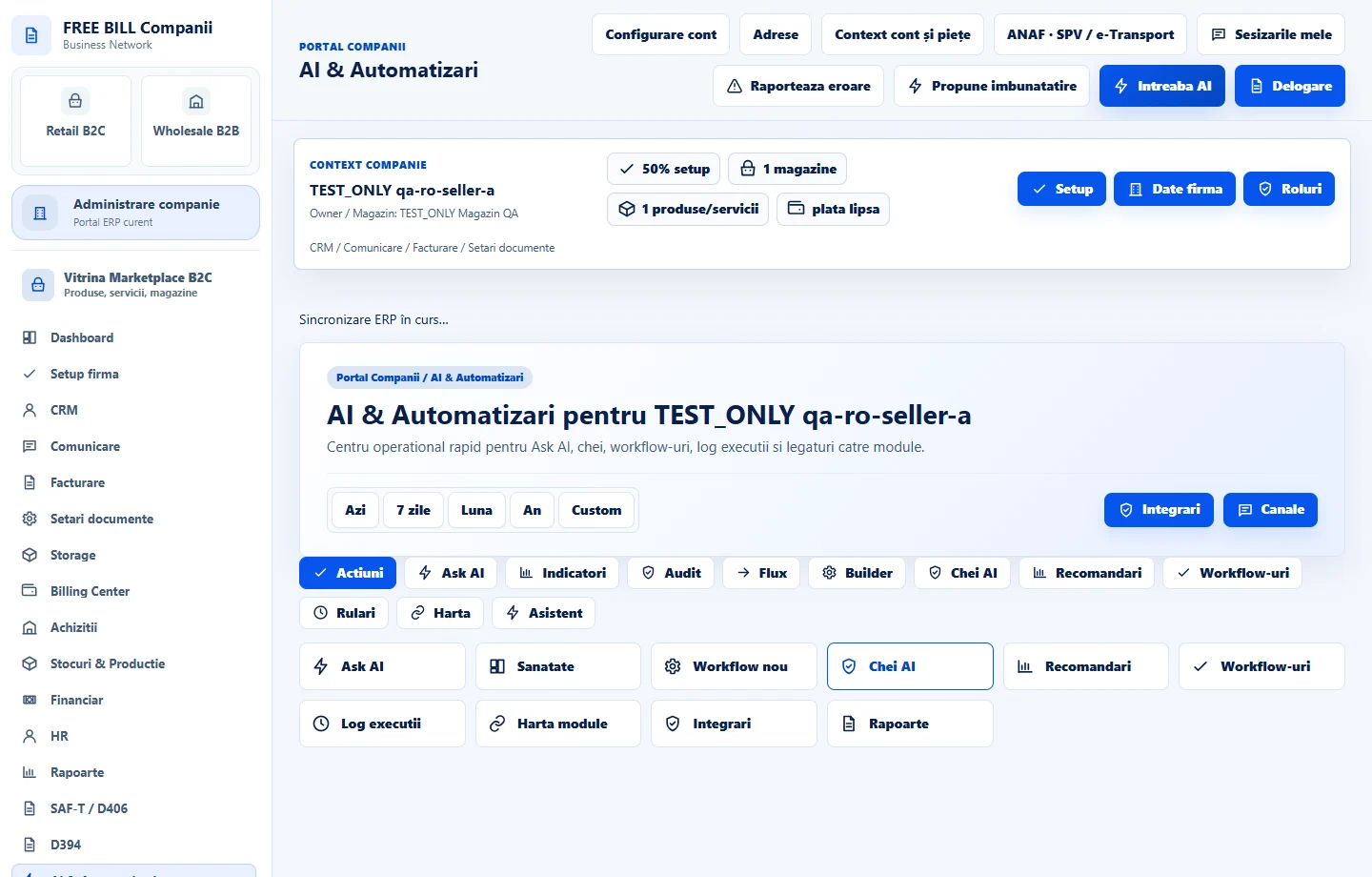
- AI & Automatizari
Step by step
Open «Întreabă AI»
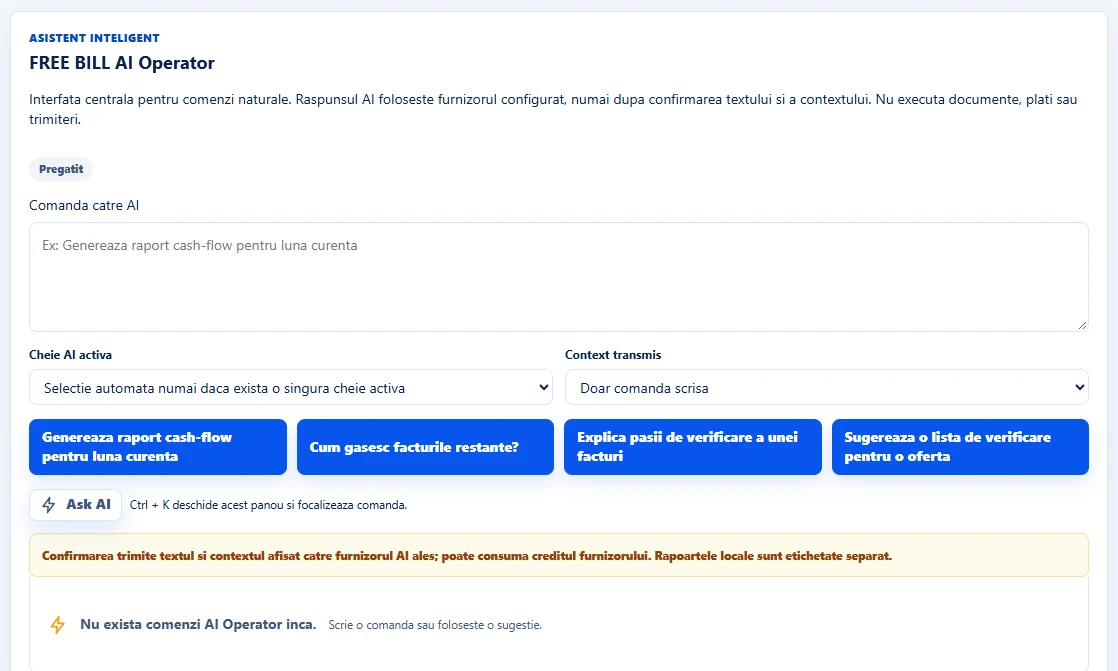
Select «Întreabă AI» in the header. Enter a request in «Comandă către AI» or start with one of the suggestions below it.
Select the key
Under «Cheie AI activă», keep the automatic selection if the company has only one active key. If there are several, choose the alias for the provider and model you want to use.
Review the context
Under «Context transmis», choose «Doar comanda scrisă» to send only the question. If you include additional context, read the displayed summary before confirming.
Confirm the provider request
Select «Ask AI». For an external request, review the preview and select «Confirmă trimiterea către AI». The provider may count the request against the company's API usage. Local reports carry their own label.
Review the result and history
Check the request status and read the result. Use history to find previous requests, or cancel a pending request if you decide against sending it.
Application interface · Romanian · 1
Check the result
The panel keeps a record of the request and displays its status, provider reply or local result, depending on the workflow.
If something is missing
If there are no keys in the list, check «AI & Automatizări» → «Chei AI». For a model, quota or access error, review the result of «Testează API/model» for the selected key.
Availability depends on your role, enabled modules, country and company configuration.
Open in FreeBill Conect