Measure campaigns and track growth recommendations
Compare reported data, open the source and save a decision you can verify.
Before you begin
- You need your own store and confirmed campaigns or records for the selected period.
- Who it is for
- Wholesale partner
- Where to find it
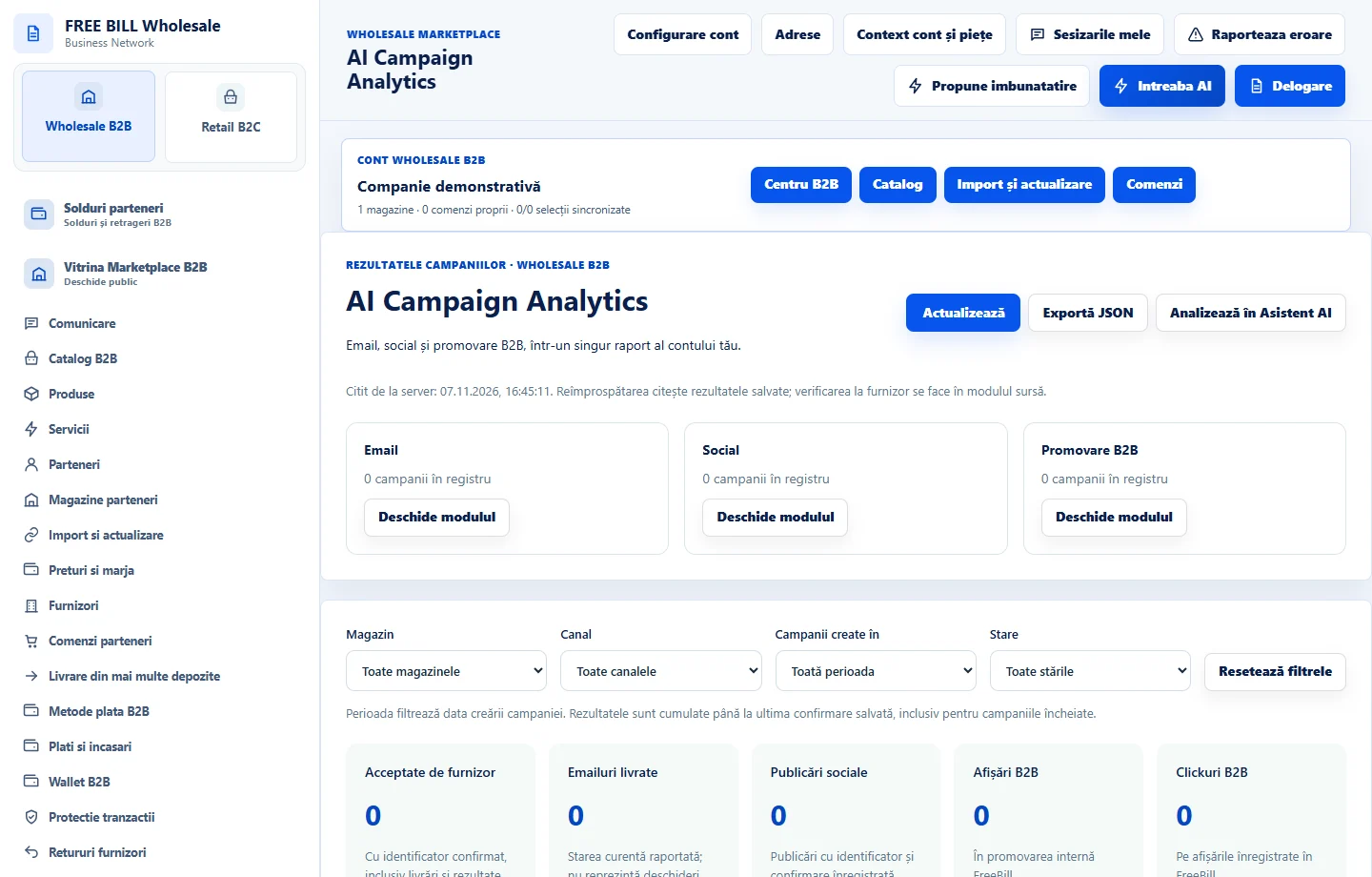
- AI Campaign Analytics
Step by step
Compare campaign metrics
In «AI Campaign Analytics», select the store and period. Separate messages accepted by the provider, confirmed deliveries and recorded impressions.
Open the recommendation source
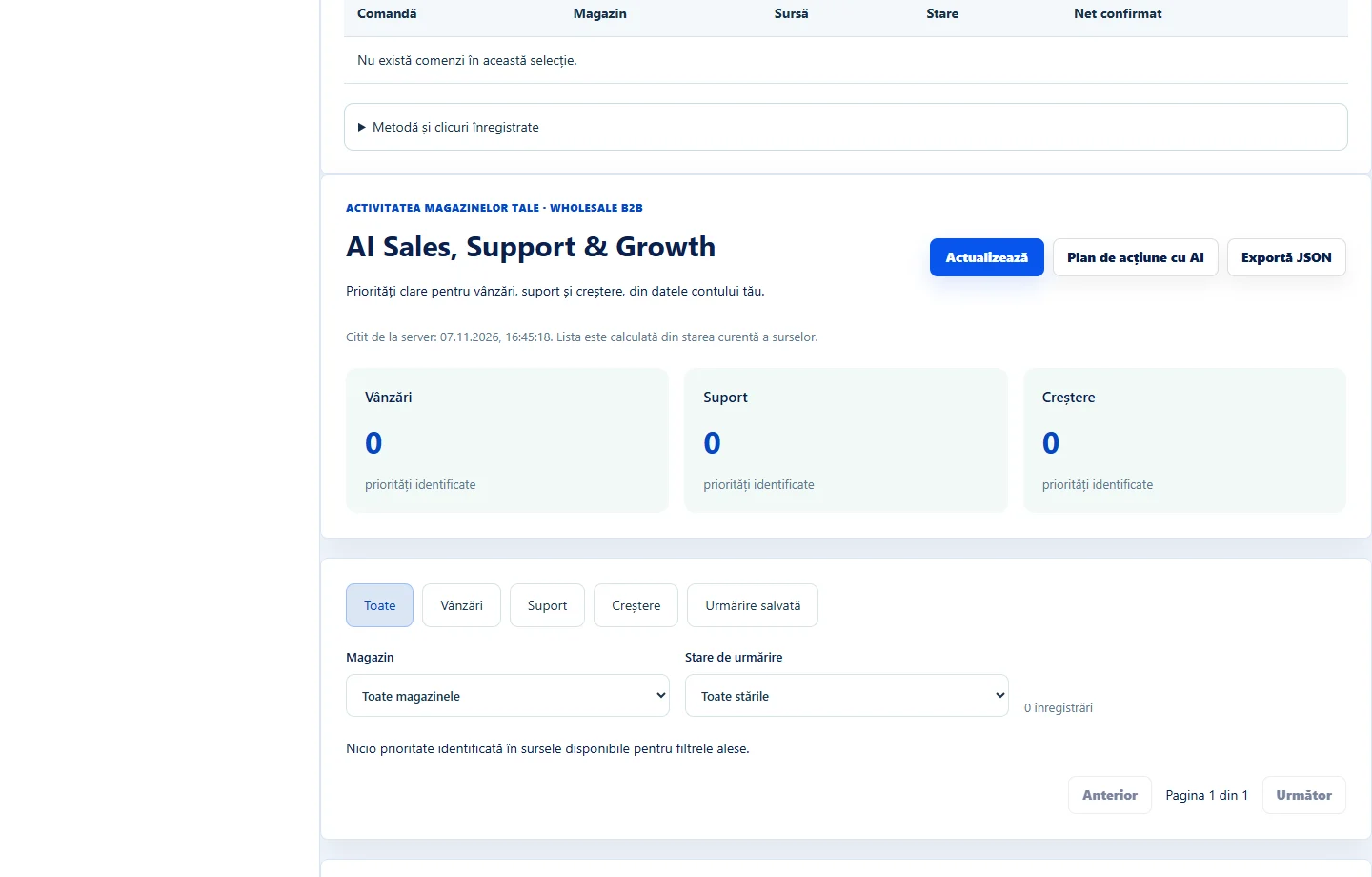
In «AI Sales, Support & Growth», review the priority and use «Deschide sursa». Confirm which orders, products or messages support the observation.
Record the action
Use «Salvează urmărirea» after noting what you checked and what comes next. If the source changed, refresh before deciding.
Run the campaign check
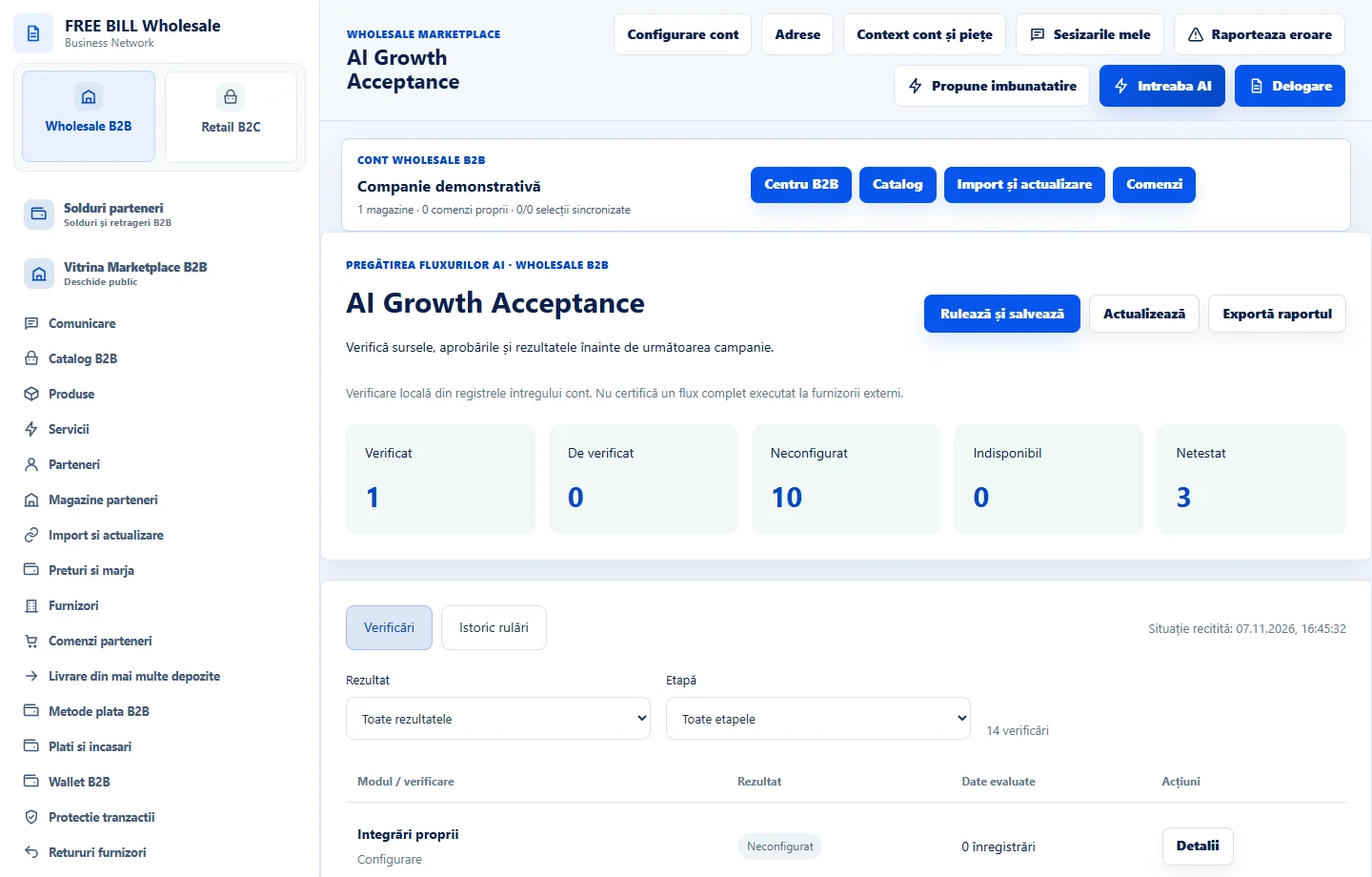
In «AI Growth Acceptance», use «Rulează și salvează». Compare «Verificări» with «Istoric rulări» and export the report if you need evidence.
Application interface · Romanian · 2
Check the result
You have results you can verify and a saved follow-up for the next action.
If something is missing
If figures are missing, check the period, store and whether the source is confirmed.
Availability depends on your role, enabled modules, country and company configuration.
Open in FreeBill Conect