Prepare document exchange and signing
Configure an exchange connection and inspect document/signing readiness.
Before you begin
- Document exchange access; partner details and an authorized signing provider where needed.
- Who it is for
- company user with module permission
- Where to find it
- EDI / EDS
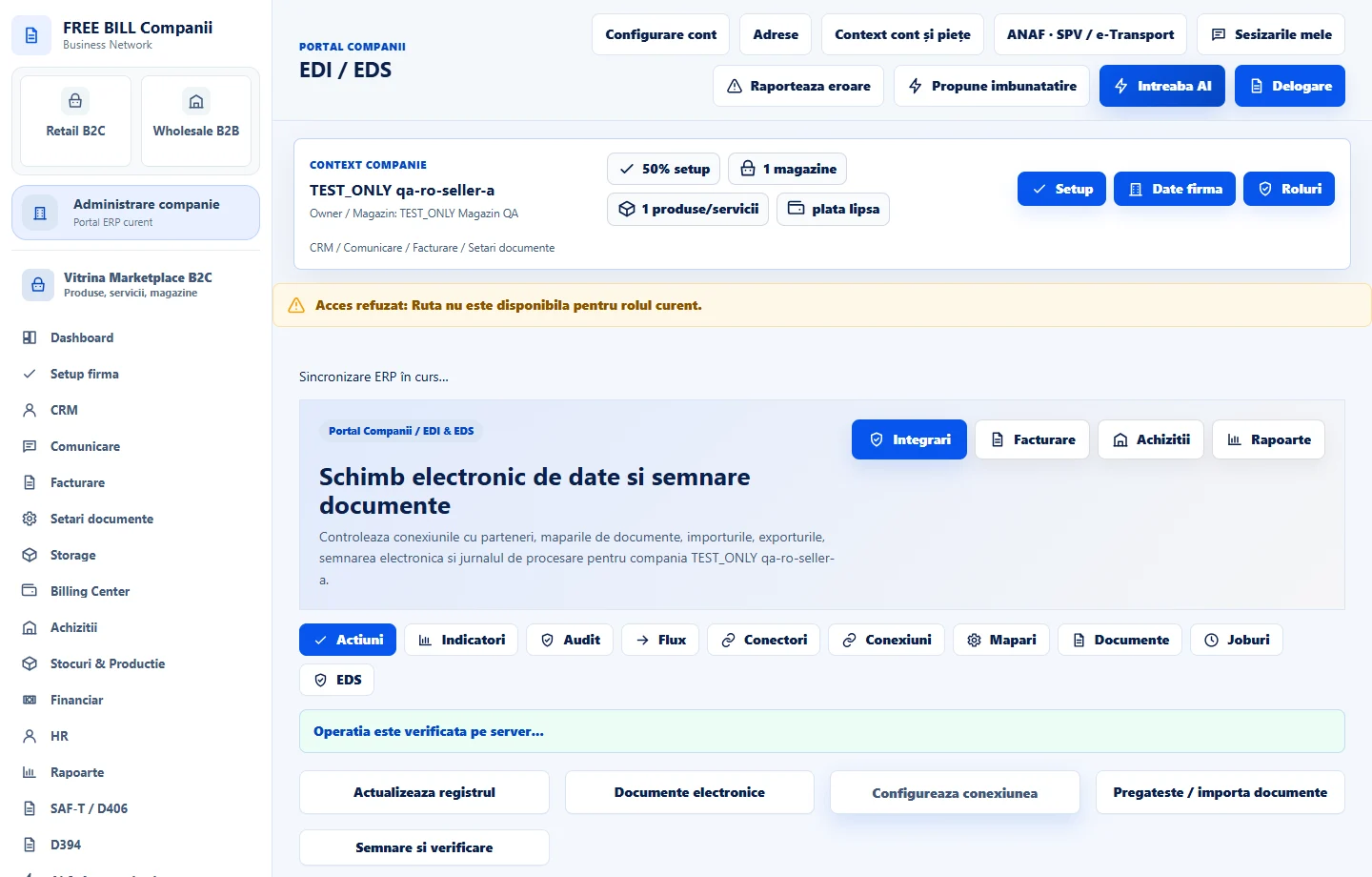
Step by step
Open EDI / EDS
Select the relevant company or account, then open «EDI / EDS».
Refresh the register
Select «Actualizeaza registrul» to inspect current exchange records.
Configure the connection
Use «Configureaza conexiunea» to review partner, format and direction settings.
Prepare documents
Use «Pregateste / importa documente» and review the chosen document type and import/export format.
Check signature handling
Open «Semnare si verificare» when the document requires signing, then inspect the recorded result and audit state.
Check the result
Document exchange and signing work prepared with its recorded validation status.
If something is missing
If editing is disabled, check the active company and your permission for this module. Resolve the validation message shown in the form before submitting again.
Availability depends on your role, enabled modules, country and company configuration.
Open in FreeBill Conect