Ask a company for help or report a FreeBill issue
Choose the right channel for a document, order or platform issue and track the reply.
Before you begin
- You need an account and the order or document number if the request concerns it.
- Who it is for
- Customer
- Where to find it
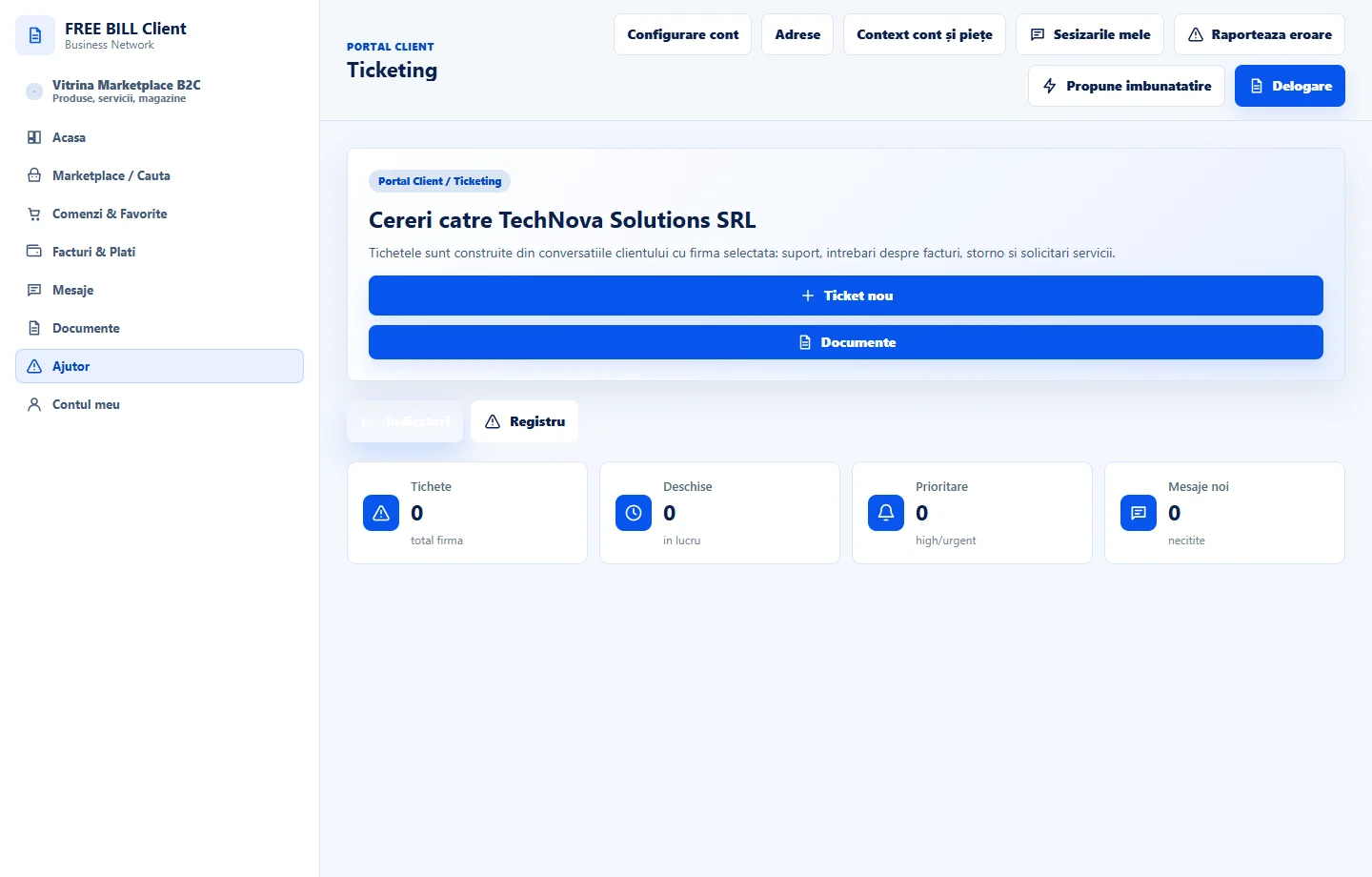
- Ticketing
Step by step
Choose the type of help
In «Ticketing», use «Ticket nou» for a question to the company. Check the company and linked document.
Send the details
In communications, choose «Mesaj nou», enter the subject and reference, and explain what happened. Check the recipient before sending.
Report a platform problem
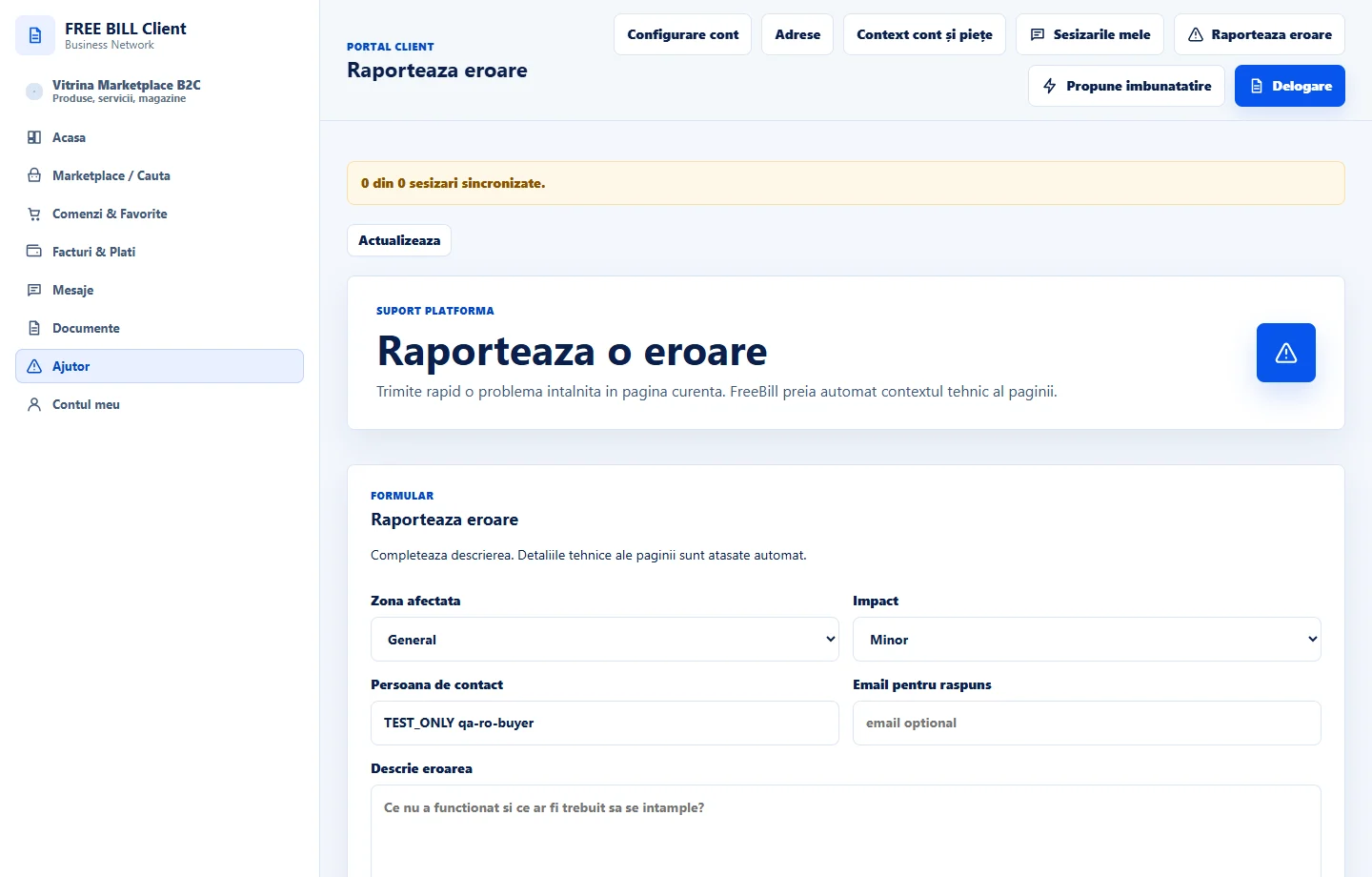
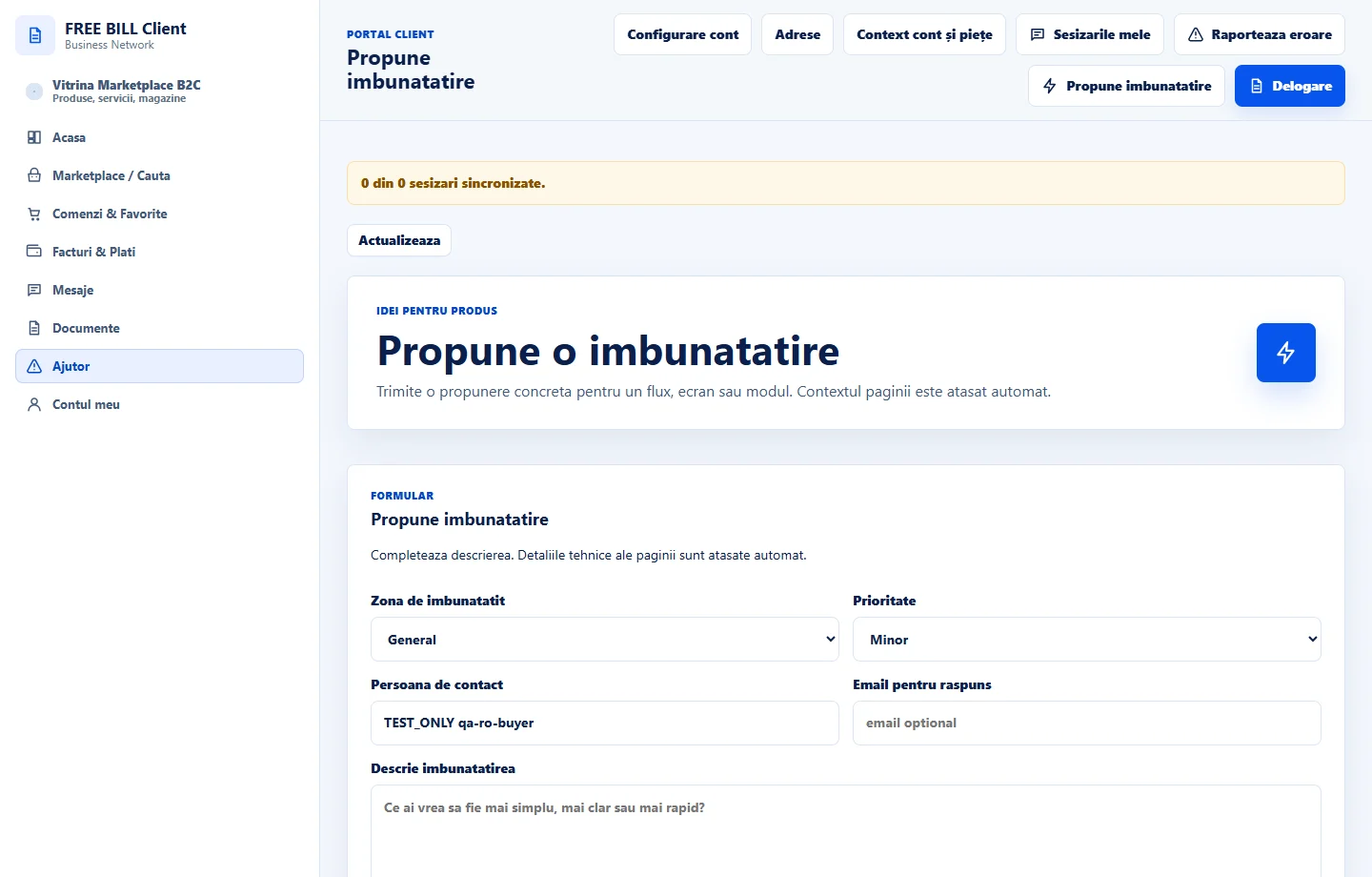
Use «Raporteaza eroare» for a defect and «Propune imbunatatire» for a suggestion. Describe the page, steps and displayed message without sensitive information.
Check the history
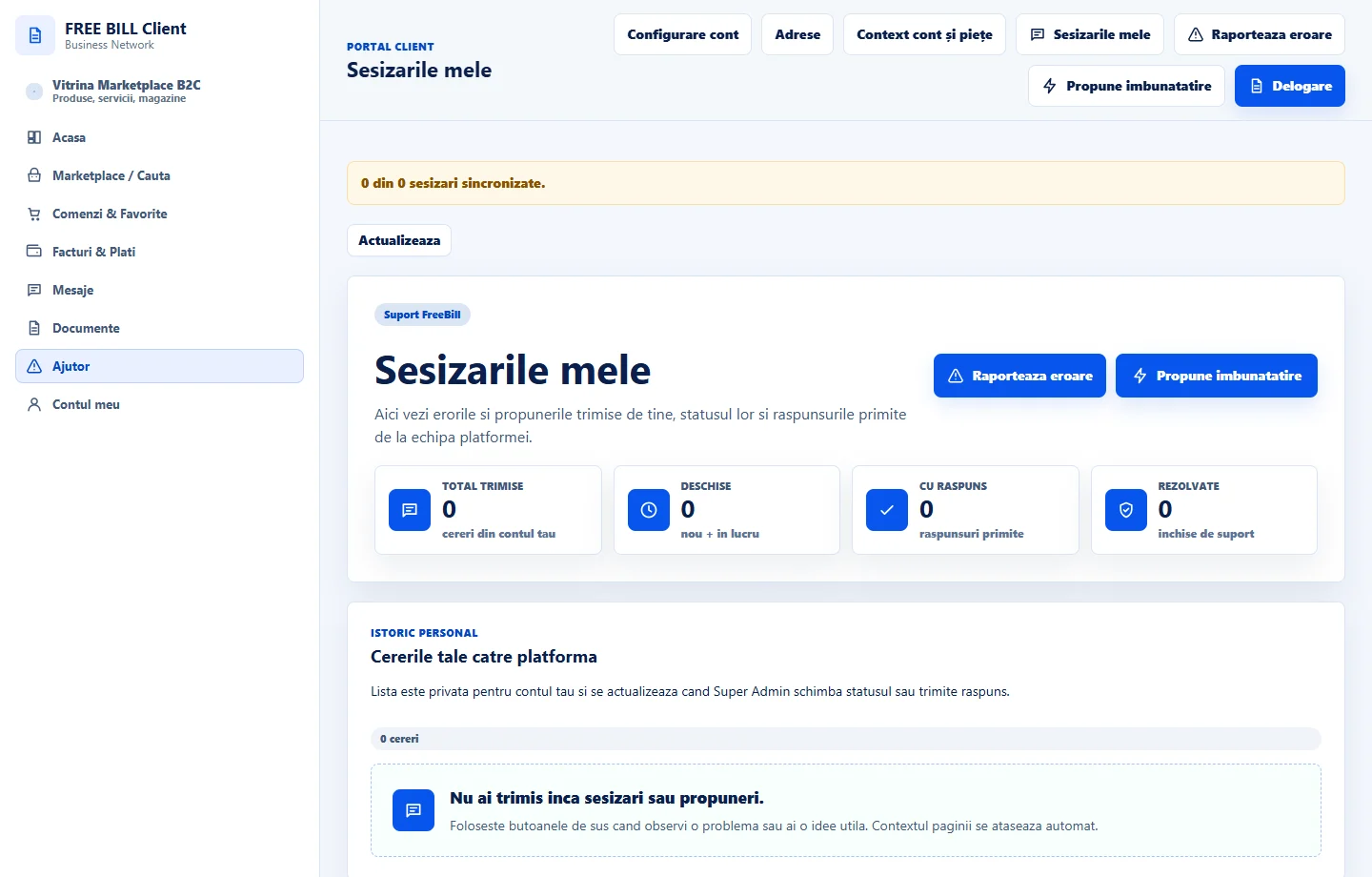
Track company questions in «Ticketing» and platform requests in «Sesizarile mele». Check the reply before sending another request.
Application interface · Romanian · 3
Check the result
You can track the request with the correct recipient.
If something is missing
If a reply is missing, check the request type and the account that submitted it.
Availability depends on your role, enabled modules, country and company configuration.
Open in FreeBill Conect