Review and export an operational report
Inspect reports for the selected company, period and currency.
Before you begin
- Report access and operational records in the company.
- Who it is for
- company user with module permission
- Where to find it
- Rapoarte
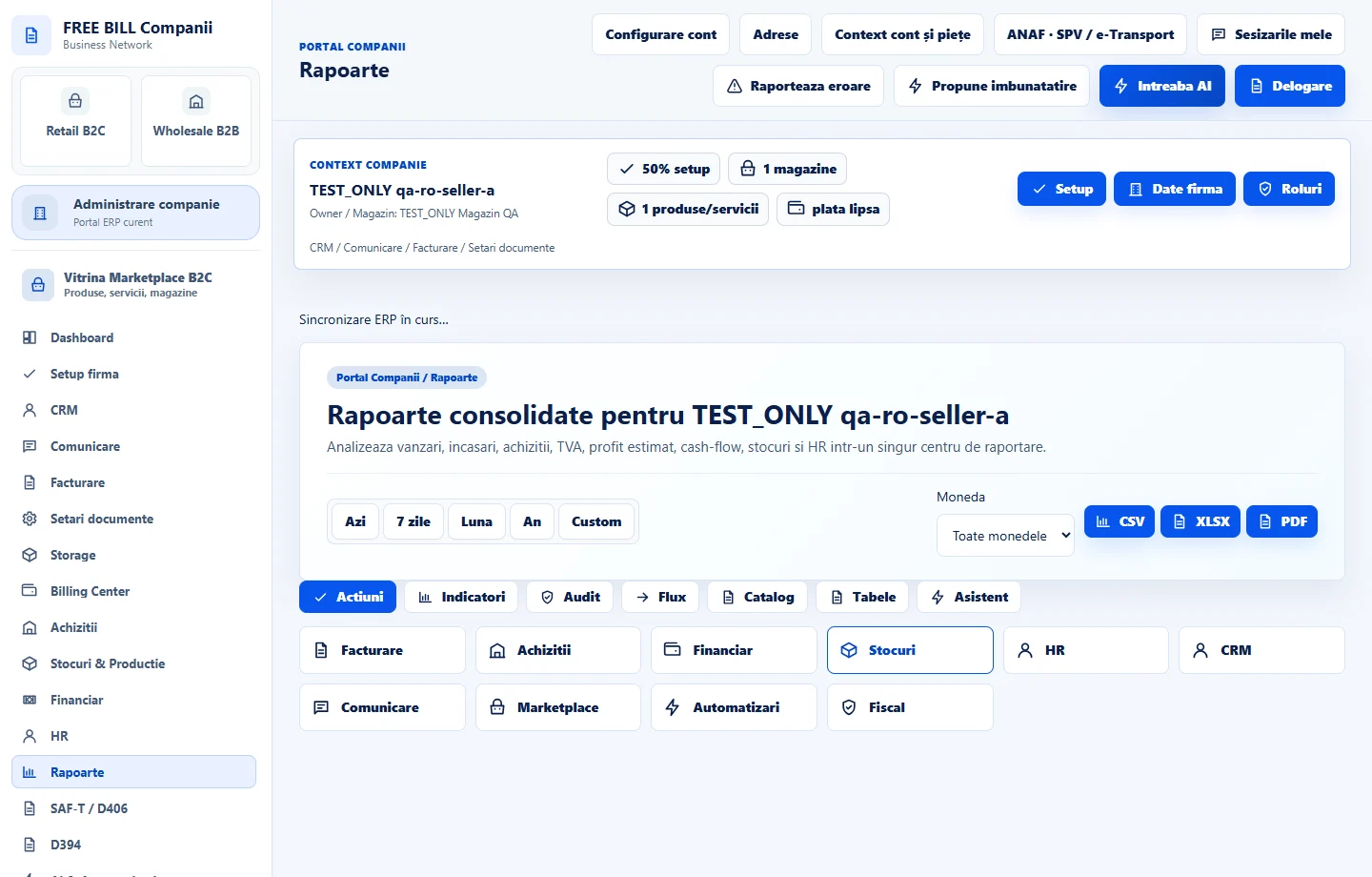
Step by step
Open Rapoarte
Select the relevant company or account, then open «Rapoarte».
Set the reporting scope
Use the period and currency controls to select the reporting scope.
Choose a report
Open the relevant entry in the report catalog and inspect the displayed rows and totals.
Check data readiness
Read the report status notice and any missing-data guidance before interpreting the figures.
Export the result
Use the report export controls for the available format and verify the downloaded report matches the chosen scope.
Check the result
A scoped report that can be reviewed and exported using the available controls.
If something is missing
If editing is disabled, check the active company and your permission for this module. Resolve the validation message shown in the form before submitting again.
Availability depends on your role, enabled modules, country and company configuration.
Open in FreeBill Conect