Plan and track company promotion
Choose the brand and channels, prepare materials and follow the campaign in its own register.
Before you begin
- A company account and access to «Promovare».
- For external distribution, an authorized company connection and eligible recipients. For paid advertising, review the rate and budget before confirming.
- Who it is for
- companie
- Where to find it
- Promovare
Step by step
Select the promotion context
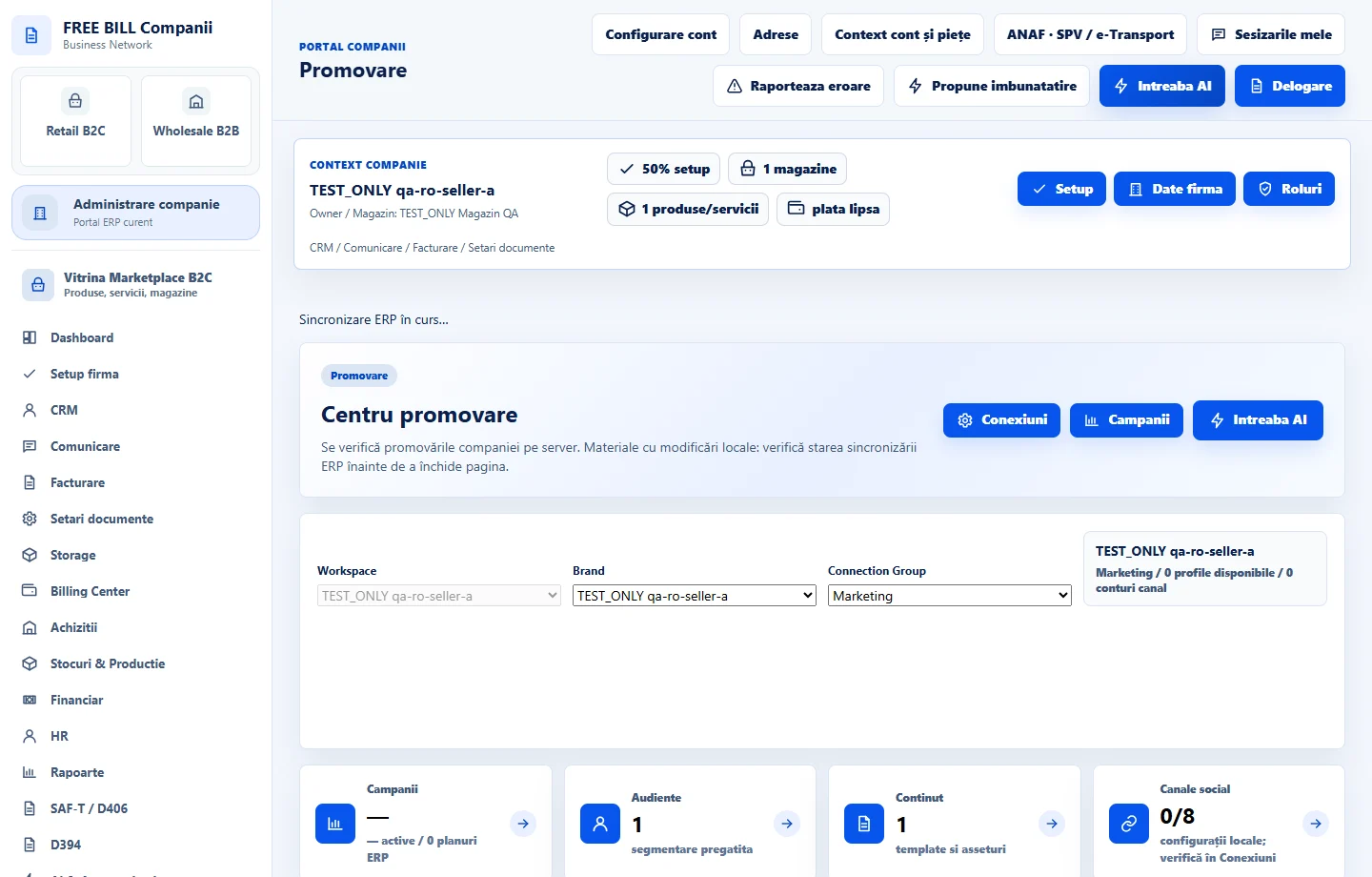
In company administration, open «Promovare» to enter «Centru promovare». Check the company, «Workspace», «Brand» and «Connection Group». Choose the brand and group before reviewing lists or creating a plan.
Prepare the audience and message
In «Audiente», check the intended segment. In «Continut» and «Brand si calitate», review materials, brand rules and approvals. Use «Calatorii client» and «Calendar» to plan timing and message sequence.
Choose the register that runs the campaign
In «Campanii», follow «Promovare FreeBill B2C» for retail products, services and stores. Use «Promovare FreeBill B2B» for partner offers. For email or social media, open the channel workflow in the communication plan and check the destination.
Review a FreeBill advertising request separately
If you use «Creează publicitate» from an ad placement, fill in «Campanie nouă» with the title, description, HTTPS address, audience, currency, pricing model, budget and dates. Read the rate before accepting. Follow moderation and payment in «Campaniile mele» where applicable.
Check connection groups and delivery
Open «Conexiuni» to review channel profiles and accounts. Use «Automatizari» for available plans and «Livrare» for confirmed results. After an error, check the source module before resending.
Compare results and follow recommendations
In «Analiza», «Inteligenta» and «Crestere», check the period, source, currency and campaign links. Use «AI Marketing» to prepare proposals. For an external AI request, choose the company's connection and review the text before confirming.
Check the result
You can track campaigns, audiences and materials from the company centre and verify actions in the appropriate register.
If something is missing
If campaigns or channels are missing, check company, brand, group and permissions. If an advert is inactive, check the accepted rate, payment, moderation and dates in its register.
Availability depends on your role, enabled modules, country and company configuration.
Open in FreeBill Conect